Winter Field Day 2026

I’m not a contester, but I like listening to fast CW and casually making QSOs with more serious folks. I think this makes me a better operator too. This year, I wanted to experiment with computer logging and computer generated CW. Everything was setup on my picnic table and run off a battery. I ended up spending most of the day hanging out with my BBQ, but I still made time to get several QSOs in the log. I had fun, and I’m going to do it again in the future. Notes for future me below, so I can remember how to do it next time.

https://winterfieldday.org

Laptop is a eWaste Chromebook running Debian 13 from a fresh install
apt install btop screen pipx flrig
pipx install winkeyerserial
pipx install wfdlogger
pipx ensurepath
groupadd dialout <user>

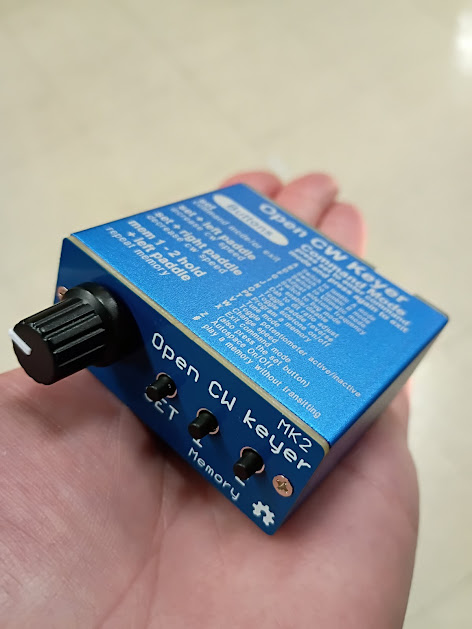
Connect a winkeyer, then run winkeyserial in a terminal. I used a Open CW MK2 keyer from Aliexpress, around $30. This should show up at /dev/ttyUSB0. If everything is working, the speed knob on the font of the unit should change the speed in the winkeyserial gui.

Connect USB CAT cable to the radio, run flrig and configure baud rate and port (probably /dev/ttyUSB1). Setup server port so wdflogger can record band changes. I can’t remember what the logging program uses when I wrote this but it’s easy to find.

Run wfdlogger in a terminal. This will open a gui. Set callsign, class, and ARRL section. Start logging QSOs, don’t burn whatever is on the grill and have fun. Oh, can you grab me another beer from the fridge if you go inside?

Software
https://github.com/mbridak/WinterFieldDayLoggerSoftware
https://github.com/mbridak/PyWinKeyerSerial

Hardware
Yaesu 857D
W4LMT’s Bencher key
Open CW Keyer mk2
Trashtop

Power
Cheap, deep cycle battery from the auto parts store
100W solar panel
Amazon charge controller

Antennas
Aliexpress stainless vertical
EFHW, 40M (49:1 + ~66′ of wire)
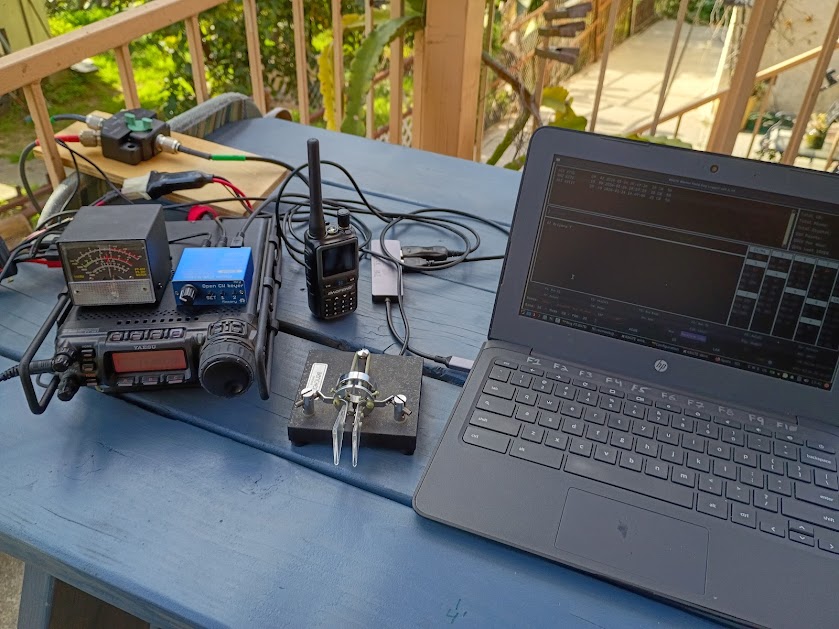
My 2026 station
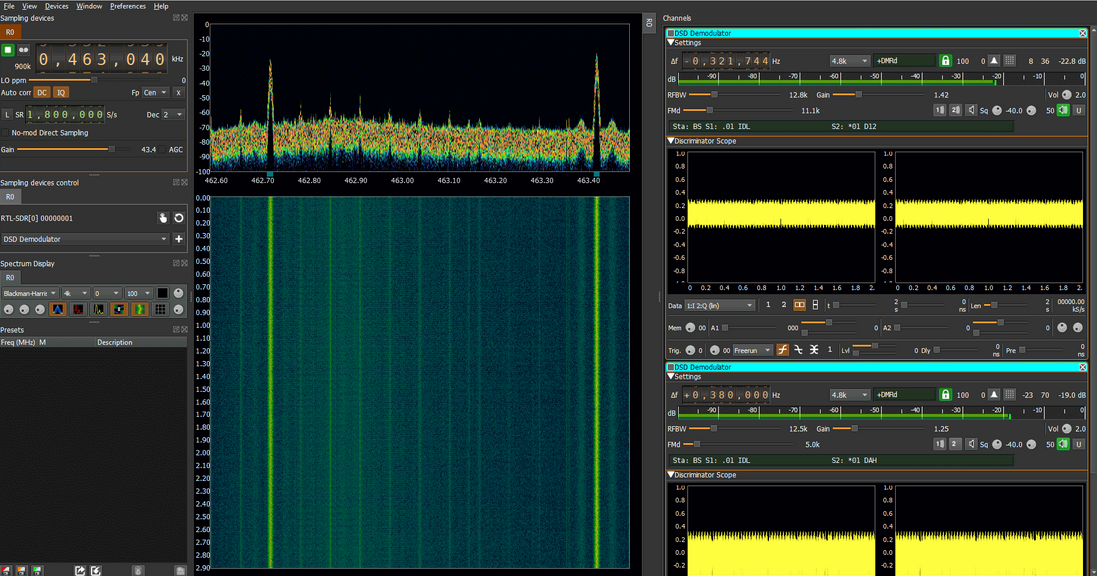
This thing is rad.

Building SDRangel from source on Debian 13

This took me all day to figure out so I’m posting it here for my own reference. Maybe it will help someone else in the future?

sudo apt update
sudo apt install -y \
build-essential cmake git \
qtbase5-dev qtbase5-private-dev libqt5svg5-dev \
qml-module-qtquick-controls qml-module-qtquick-window2 qml-module-qtgraphicaleffects \
qml-module-qtpositioning qml-module-qtlocation qml-module-qtquick-controls2 qml-module-qtquick-shapes \
qtlocation5-dev qtpositioning5-dev \
qtwebengine5-dev qtwebengine5-dev-tools \
libqt5gamepad5-dev \
libfftw3-dev libfftw3-single3 \
libxml2-dev libsndfile1-dev libopencv-dev \
libboost-all-dev \
libsoapysdr-dev librtlsdr-dev libhackrf-dev libbladerf-dev libairspy-dev libairspyhf-dev \
libmirisdr-dev libiio-dev libcodec2-dev libcm256cc-dev libdsdcc-dev \
libserialdv-dev libqt5websockets5-dev qtmultimedia5-dev\
libflac-dev libopus-dev screen btop \
libqt5charts5-dev libqt5serialport5-dev libqt5texttospeech5-dev zram-tools

sudo nano /etc/default/zramswap
ALGO=zstd
PERCENT=60
sudo service zramswap reload

git clone https://github.com/f4exb/sdrangel.git

mkdir build
cd build
cmake ..
make
sudo make install

Moving to a new home!

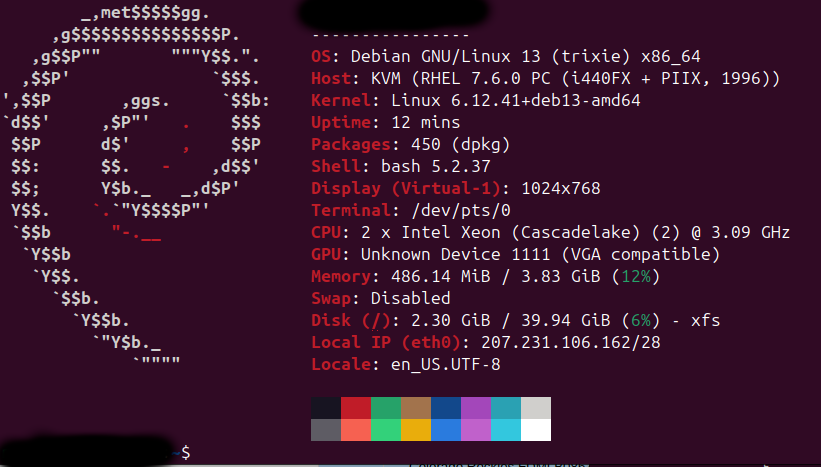
This blog has been hosted on a cheap, low end VM for years. 1vCPU with a gig of RAM. WordPress is kinda a pig, and it would sometimes run out of RAM and crash. The price of the VM has been creeping up and I finally shopped around to find a new host, which is who is serving this. I now have 2vCPUs ans 4 gigs of RAM. Data bandwidth feels way faster, however, I’ll admit to never actually measuring it.

First, we need to setup the VM. Debian 13 just came out and it’s not available yet from my VM vendor, so let’s start with Debian 12 and upgrade.

adduser foo
sudo visudo
apt-update, apt-upgrade
sudo sed -i 's/bookworm/trixie/g' /etc/apt/sources.list
apt-update, apt-upgrade (again)
apt full-upgrade
sudo shutdown -r now
sudo apt modernize-sources
sudo apt --purge autoremove
sudo apt autoclean

Now we need to put a WordPress environment together.
sudo apt install mariadb-server apache2 php fastfetch screen htop unzip php-mysql php-curl php-imagick php-zip php-mbstring php-intl php-dom php-redis redis-server certbot python3-certbot-apache
sudo systemctl enable apache2 && sudo systemctl start apache2
sudo systemctl start mariadb && sudo systemctl enable mariadb
sudo mariadb-secure-installation
sudo a2enmod rewrite
sudo systemctl restart apache2

Setup database
mariadb -u root -p
CREATE USER foo@localhost IDENTIFIED BY 'hackme';
CREATE DATABASE foobar;
GRANT ALL PRIVILEGES ON foobar.* TO foo@localhost;
FLUSH PRIVILEGES;

WordPress stuff
wget https://wordpress.org/latest.zip
unzip latest.zip
sudo chown -R www-data:www-data wordpress

Add the following to your wp-config.php, not really sure if you need this.
define( ‘WP_MEMORY_LIMIT’, ‘512M’ );
set_time_limit(900);

enable mod rewrite

Migration, tar /etc/apache2 and scp it to new host. Move config files over and enable sites
sudo a2ensite
systemctl reload apache2

Get HTTPS certs
certbot –apache

Server Migraton

This blog is run using a cheap VPS with legacy equipment and recently, the vender announced they are shutting down the datacenter this VPS exists in.  As such, I’m migrating to a new VPS machine.  This is the first post on the new install.  Hello World!

PAT – A Winlink Cliet

Here is how I run Pat with AX25. This assumes Direwolf can key your radio for 2M/ 1200 baud connections to local nodes. I’ve yet to get this actually working, as I live in hole which RF can’t seem to escape.

Run Direwolf, with APRS stuff commented out of the config file. The -p and -c flags are needed.

$sudo direwolf -p -c direwolf_noaprs.conf

This will give a symlink, such as:

Virtual KISS TNC is available on /dev/pts/1
Created symlink /tmp/kisstnc -> /dev/pts/1


Take note of the device number, in this case, /dev/pts/1 Bind the port to AX.25

$ kissattach /dev/pts/1 wl2k
AX.25 port wl2k bound to device ax0


Then, run pat. I use a bunch of arguments here, you don need to.

$pat --listen ardop,ax25,telnet http -a 0.0.0.0:8080

Open a browser, and load pat interface on :8080. Please note 0.0.0.0 allows connections from other machines, not just localhost which is useful for VPN.

You noticed that I included ardop in the config – this is a HF modem which needs separate command line arguments for configuration. Basic config is below. 8515 is the port, plughw is the USB sound card for I/O. Find the audio cards by typing aplay -l into the terminal

Download ardop here.

$./ardopc 8515 plughw:1,0 plughw:1,0

Server uptime

This Linux machine has been up for quite a bit of time.  It’s going down soon for a complete refit.  If this post is here in a few days, it means I didn’t break the SQL database!  Whoohoo!

$ uptime

15:16:27 up 858 days,  5:02,  2 users,  load average: 1.43, 1.65, 1.65


SVXlink Part 2

This is just notes for myself really, but part one can be found here.

Default path for sound files in Debian.  This path depends on your distro;
/usr/local/share/svxlink/sounds/en_US

What I have done to build custom modules into SVXlink is to use DTMF tones to trigger external scripts.  Those scripts are written in Bash or Python.

Drop a file in the following path, copy and paste below, edit as needed.  As you can see, toggling a DTMF tone will run a script and send me an eMail.
/usr/local/share/svxlink/events.d/local/Logic.tcl

###############################################################################
#
# Generic Logic event handlers (local extension)
#
###############################################################################
# This is the namespace in which all functions and variables below will exist.
#
namespace eval Logic {
# Executed when a DTMF command has been received
# cmd - The command
#
# Return 1 to hide the command from further processing is SvxLink or
# return 0 to make SvxLink continue processing as normal.
#
proc dtmf_cmd_received {cmd} {
global active_module
if {$active_module != "" && [string index $cmd 0] != "*"} {
return 0
}
if {[string index $cmd 0] == "*"} {
set cmd [string range $cmd 1 end]
}
if {$cmd == "99"} {
puts "Executing external command 99"
playMsg "Core" "relay4"
exec mail -a /home/revmook/test.text -s "DTMF command test 99" revmook at echoparklake dot clam < /dev/null &
return 1
}
if {$cmd == "98"} {
puts "Executing external command 98"
playMsg "Core" "relay3"
exec mail -a /home/revmook/test.text -s "DTMF command test 98" revmook at echoparklake dot clam < /dev/null &
return 1
}
if {$cmd == "97"} {
puts "Executing external command 97"
playMsg "Core" "relay2"
exec mail -a /home/revmook/test.text -s "DTMF command test 97" revmook at echoparklake dot clam < /dev/null &
return 1
}
if {$cmd == "96"} {
puts "Executing external command 96"
playMsg "Core" "relay1"
exec mail -a /home/revmook/test.text -s "DTMF command test 96" revmook at echoparklake dot clam < /dev/null &
return 1
}
return 0

External sounds for the above script go in this path.  Please note SVXlink is picky about the file format. I can’t recall what it is (mono 16 bit I think) but it will error out if things are not right.
/usr/local/share/svxlink/sounds/en_US/Core

svxlink – install on a pi

This is going to be the first post in a series on how to setup an Echolink node using cheap hardware. Read more about Echolink here.

EchoLink allows licensed Amateur Radio stations to communicate with one another over the Internet, using streaming-audio technology.  The system allows worldwide connections to be made between stations, or from computer to station, greatly enhancing Amateur Radio’s communications capabilities.  There are more than 200,000 validated users worldwide — in 151 of the world’s 193 nations — with about 5,200 online at any given time.

The first thing we need to do is Install svxlink on a pi. These instructions assume you have a pi running already, and you can log into it with SSH.

Create the user “SVXLink”. The software will not compile corrctly without this user.
sudo adduser svxlink

Download and install the dependencies:

sudo apt-get install libgsm1 libgsm1-dev sigc++ libsigc++-1.2-5c2 libsigc++-1.2-dev libpopt0 libpopt-dev tcl8.4 tcl8.4-dev g++ subversion patch mutt libqt3-mt libqt3-mt-dev libqt3-headers libgcrypt11 libgcrypt11-dev libspeex1 libspeex-dev libboost-dev libasound2 libasound2-dev qt4-dev-tools cmake screen

Grab the source code.

sudo wget https://github.com/sm0svx/svxlink/archive/master.tar.gz
sudo tar xvf master.tar.gz
sudo rm master.tar.gz

Build and install SVXLink

cd /usr/src/svxlink-master/src
mkdir build
cd /buiild
cmake ..
sudo make
sudo make install
sudo ldconfig -v

Download sounds for your language:

cd /~
wget https://github.com/sm0svx/svxlink-sounds-en_US-heather/releases/download/14.08/svxlink-sounds-en_US-heather-16k-13.12.tar.bz2
tar xvf svxlink-sounds-en_US-heather-16k-13.12.tar.bz2
sudo mkdir /usr/local/share/svxlink/sounds/en_US
sudo cp -a en_US-heather-16k/* /usr/local/share/svxlink/sounds/en_US

Please note that this path is different than anything that I could find on the ‘net. If you’re getting warnings like

*** WARNING: Could not find audio clip "deactivating" in context "Default"

or

*** WARNING: Could not find audio clip "name" in context "EchoLink"

then you need to find where SvxLink is looking for these files. The easiest way to do this is search for the ‘events.tcl’ file.

updatedb
locate events.tcl

You should be able to start svxlink from the command line, but maybe you will get a bunch of errors. We need to modify the config file, which defaults in /usr/local/etc/svxlink. More on this in another post.

A thirsty bird and my Pi

A fuzzy picture of a thirsty bird and my Pi.  Note the binder clip which secures the SD card and the USB sound card.

APRS – Position data over amateur radio


Automatic Packet Reporting System (APRS) is an amateur radio-based system for real time tactical digital communications of information of immediate value in the local area. In addition, all such data are ingested into the APRS Internet System (APRS-IS) and distributed globally for ubiquitous and immediate access. Along with messages, alerts, announcements, and bulletins, the most visible aspect of APRS is its map display. Anyone may place any object or information on his or her map, and it is distributed to all maps of all users in the local RF network or monitoring the area via the Internet. Any station, radio, or object that has an attached GPS is automatically tracked. Other prominent map features are weather stations, alerts and objects and other map-related amateur radio volunteer activities including Search and Rescue and signal direction finding.

hpacucli, HP Proliant, Debian

Last time I went to my servers colocation was a year ago. At that time I dropped in a new disk to replace a failed device in the RAID array. Turns out I broke the RAID somehow. The server is an HP Proliant which features a hardware raid with battery backup.

Let’s try and fix this using hpacucli utility. After installing the software, we can query the disks. I have an unassigned disk, which I want to add into Array A. I also want to change Array A into a level 1 RAID.

$ sudo hpacucli ctrl all show config

FIRMWARE UPGRADE REQUIRED: A firmware update is recommended for this controller
to prevent rare potential data write errors on a
RAID 1 or RAID 1+0 volume in a scenario of
concurrent background surface analysis and I/O write
operations. Please refer to Customer Advisory
c01587778 which can be found at hp.com.

Smart Array E200i in Slot 0 (Embedded) (sn: PR7BMU0937 )

array A (SATA, Unused Space: 0 MB)

logicaldrive 1 (931.5 GB, RAID 0, OK)

physicaldrive 1I:1:4 (port 1I:box 1:bay 4, SATA, 1 TB, OK)

array B (SATA, Unused Space: 0 MB)

logicaldrive 2 (931.5 GB, RAID 0, OK)

physicaldrive 1I:1:2 (port 1I:box 1:bay 2, SATA, 1 TB, OK)

unassigned

physicaldrive 1I:1:3 (port 1I:box 1:bay 3, SATA, 1 TB, OK)

For some reason the utility will not start on it’s own. I get this error message.

$ sudo hpacucli
HP Array Configuration Utility CLI 9.40.12.0
Detecting Controllers...

Error: Another instance of ACU is already running (possibly a service). Please
terminate the ACU application before running the ACU CLI. Press ENTER to
exit.

Most of the posts I’ve found on the ‘net suggest removing the lock file at
/opt/compaq/cpqacuxe/bld/locks

This didn’t work in Debian. The lock file is elsewhere.

/dev/shm/sem.hpacu.appLock

Then,

sudo hpacucli
HP Array Configuration Utility CLI 9.40.12.0
Detecting Controllers...Done.
Type "help" for a list of supported commands.
Type "exit" to close the console.

=>

Whoot! I got the command line finally. Let’s add the unassigned disk into the array.

hpacucli
ctrl slot=0 ld 1 add drives=1I:1:3

Error: This operation is not supported with the current configuration. Use the
"show" command on devices to show additional details about the
configuration.
Reason: Transformation size zero

Hmmm… Not sure what this means, but after some Googling around it seems like the internal battery for the hardware RAID has completely failed, or it is unplugged. I might be able to setup a software RAID, which I think is better for my application anyways as I can use the disk in any machine with the same RAID software. When using a hardware raid, failure of the actual hardware could mean data loss. More on this later.